


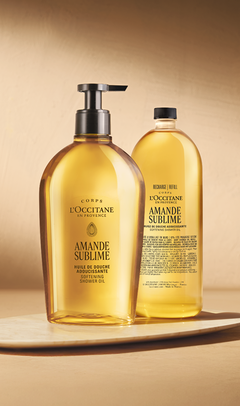



Subscribe To Save


Enjoy your favourite L'Occitane essentials, delivered effortlessly and tailored to your routine.
Ensure your most-loved L'Occitane essentials are always within reach. With our subscribe & save service, your favourite products are delivered automatically, tailored to your needs, while you enjoy 10% off every subscription order, with complimentary samples and free shipping* with each delivery. Enjoy your favourite moments of care, effortlessly replenished.
BENEFITS OF L'OCCITANE SUBSCRIBE TO SAVE SERVICE
-


Exclusive Savings with Every Delivery
Enjoy 10% off every subscribed product(s), including the one(s) from your first order.
-
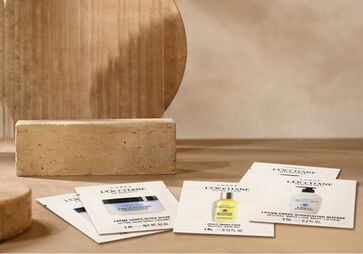
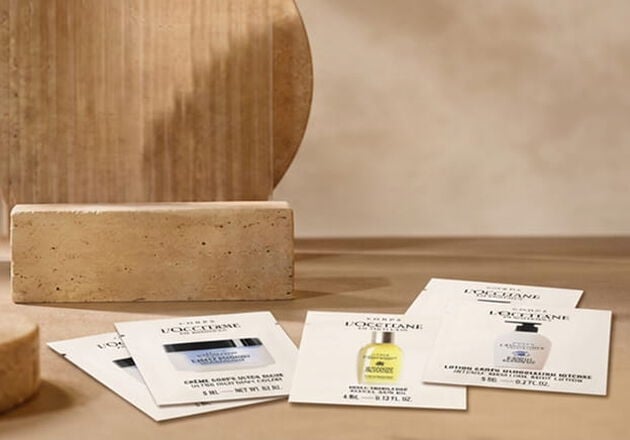
Complimentary Samples & Free Shipping*
Every subscription order comes with complimentary delivery and samples, adding a little more joy to your self-care ritual.
-


Designed Around Your Routine
You never have to remember to reorder, your essentials arrive automatically when you need them and with the flexibility to adapt your delivery schedule whenever you need.
How Does the L’Occitane Subscription Work?


Step 1: Choose your product
Browse eligible products and select your favourite essentials.Step 2 : Subscribe to Save
Select the Subscribe & Save option on the product page or at checkout to unlock 10% off every order, complimentary shipping, and free samples.Step 3: Select your frequency
Choose the delivery frequency that best suits your needs, from every month to every six months.Step 4: Checkout
Login or create a L'Occitane account & finalise your order.Step 5 : Enjoy
Your order will be prepared and delivered automatically, with a reminder sent before each shipment.Subscribe to Your Favourite Essentials
See all


Frequently Asked Questions About L’Occitane Subscriptions
What is L’Occitane Subscription service?
‘Subscribe to Save’ is our convenient online subscription service that lets you schedule regular deliveries of your favourite L’Occitane products. Simply choose your products and preferred delivery frequency, and we’ll take care of the rest. You can manage and update your subscription online whenever you need to.
How do I subscribe ?
Joining is easy, you can do so while browsing on a product page or while reviewing items in the shopping cart.
To get started:
1.Select the subscription option for your desired product. Most of our catalog is available to subscriptions but some products are exluded. If you don't see the subscription option on the product page, it means the product is not eligible to this service.
2. Ensure you are logged in to your L'Occitane account in order to proceed with a checkout with the subscription.
3.Choose your preferred shipment frequency from the dropdown menu.
4. Click ADD TO CART and check out as usual.
What will happen after I join?
After you join, you will receive an email confirming your subscription. This email will include a link to access the “My Recurring Orders” section in your L’Occitane online account where you can manage your future orders, subscription items and account information.
We will place your subscription orders automatically according to your selected frequency, and you will only be billed on the day the order is shipped. We will send you an email reminder 10 days before each order ships, and you can change or cancel your order up to 24 hours before the shipment date. You also will receive email notifications regarding other important transactional information related to your subscriptions, such as if your item is discontinued or out of stock, if you cancel a shipment and confirmation when an order is placed successfully.
How do I make changes to my subscription orders?
You can change your next order date, skip an order, change your selected frequency or cancel a subscription order by visiting the ”My Recurring Orders” section in your L’Occitane online account. Please allow up to 24 hours for modifications or cancellations to be processed.
Change an order date:
1. Visit the “My Recurring Orders” section within your account.
2. Click the “Edit Order” button to the right of the next shipment date.
3. Select a new date for your order. This will change the order date for the entire subscription order.
Skip a delivery:
1. Visit the “My Recurring Orders” section within your account.
2. Click the “Skip Delivery” button to the right of the upcoming order date to skip the entire order.
Change delivery frequency:
1. Visit the “My Recurring Orders” section within your account.
2. The current delivery frequency is displayed next to each subscription item in a dropdown menu next to “Every”. To change the delivery frequency for an individual item, simply click the frequency dropdown menu next to the item you would like to modify and select your desired frequency from the available options.
Send an order now:
1. Visit the “My Recurring Orders” section within your account.
2. Click the “Send Now” button to the right of the upcoming order date to send the entire order.
Cancel a subscription item:
1. Visit the “My Recurring Orders” section within your account.
2. Click the “Cancel” link to the right of the item you wish to cancel.
3. You’ll be prompted to confirm this action and indicate your reason for cancelling. Once you’ve selected a cancellation reason and clicked the “Stop subscription” button, your subscription for that item will be cancelled and no future orders will be placed, provided the cancellation was requested at least 24 hours prior to the scheduled shipment date.
4. You will receive an email notification confirming the cancellation. Please allow up to 24 hours for any modifications or cancellations to be processed.
Pause a subscription item:
1. Visit the ”My Recurring Orders” section within your account.
2. Click the “Pause” link to the right of the item you wish to pause.
3. You’ll be prompted to select a shipment resume date. Once you’ve selected the date and clicked the “Pause Subscription” button, your replenishment will be paused and will resume shipment on the date that you selected.
You can also change the product from your subscription.
Just log in to your account, go to 'My Reccuring orders' and from here you can swap products in your next subscription order.
How do I make changes to my subscription account information?
To review or modify your Subscription account information, visit the ”My Recurring Orders” section located within your account.
Shipping address changes:
1. To change your shipping address for an order, click the “Edit” link located directly next to the current shipping information.
2. Select a prior shipping address from the dropdown menu or create a new one to add to your account. Unless you indicate otherwise, this shipping address will apply to all Auto-Replenishment and future orders thereafter.
Billing address changes:
1. To change your billing address for an order, click the “Edit” link located directly next to the current billing information.
2. This will open a new page where you can add new payment information. Unless you indicate otherwise, this billing information will apply to all subscription and future orders thereafter.
Please remember to press OK and verify that your updated information saved successfully. We kindly ask that you allow up to 24 hours for modifications or cancellations to be processed.
How do I view my future deliveries?
Your very next scheduled orders will be listed in the “My Recurring Orders” section of your L’Occitane online account under the “Upcoming Orders” option.
Can I have more than one subscription?
Yes, you can have as many subscriptions as you want. You can manage all your subscriptions side by side in your account and streamline the dates if needed to reduce the frequency of deliveries. If you need any help with this, you can get in touch with our customer care team.
How do I combine items to be in the same order?
Subscription items that have the same order date, shipping address, billing address and payment method will ship as one order. If you have more than one subscription item and want the items to ship in the same order, simply visit the “My Recurring Orders” section of your account and select the same next-order dates for the items you want shipped together. Also, confirm the orders are going to the same shipping address and have the same billing address and payment method.
Can I add items to my next order with an existing subscription order?
Yes, you can! To do so, you must be logged into your account. Visit the online page of the item you wish to add to your order, and find the “Add this to my order on:” button. When you click this button, you will have the option to add the item as a one-time only order, or if the product is eligible, as an subscription item as well.
Can I change my shipping method for Subscription orders?
No, Subscription orders will always ship via our standard home delivery shipping method.
What types of payments are accepted for Subscription?
All subscription orders require a credit or debit card payment. Alternative payment forms, such as PayPal or Apple Pay cannot be accepted.
What if my payment fails?
If your payment fails, we will attempt to collect the payment three times. If we still can’t process your payment, we will contact you via email to resolve the issue.
Why did the price of my subscription item change?
L'Occitane product prices may change over time. If the price of your subscription item changes, the new price will be shown in your order review email and will be applied only on future shipments. You can review your subscriptions, edit or cancel them at any time.
What will happen if an item in my Subscription order is on sale?
If a product is on sale when you add it to your subscription order, you will receive the sale price for that initial order. All subsequent orders will be shipped at the price displayed at the time of each subsequent order. Promotional pricing is valid only during the timeframes advertised on the L’Occitane website.
How will I know if an item in my subscription has been discontinued?
If an item in your subscription order becomes discontinued, we will send you an email notifying you that the item has been removed from your account and your subscription for that item will be cancelled
Subscription Service Terms & Conditions
Subscription items will ship automatically until you cancel. By placing a subscription order you are authorising us to charge your card for future orders at the frequency and quantity you selected.
See Terms & Conditions details here